Thinking of leaving the coaches hub?
To proceed with cancelling your subscription, please follow the steps outlined below.
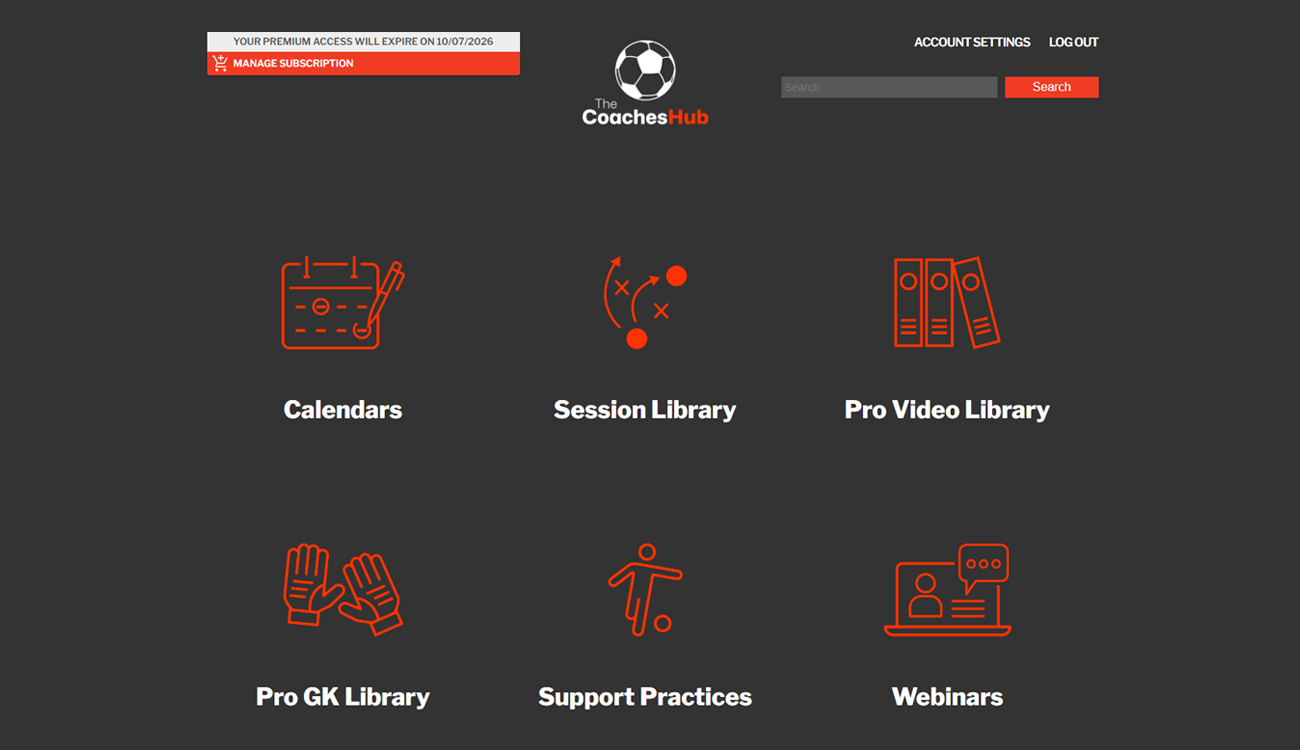
Open Manage Subscription
Log in to Coaches Hub and select Manage Subscription in the top left of your dashboard.
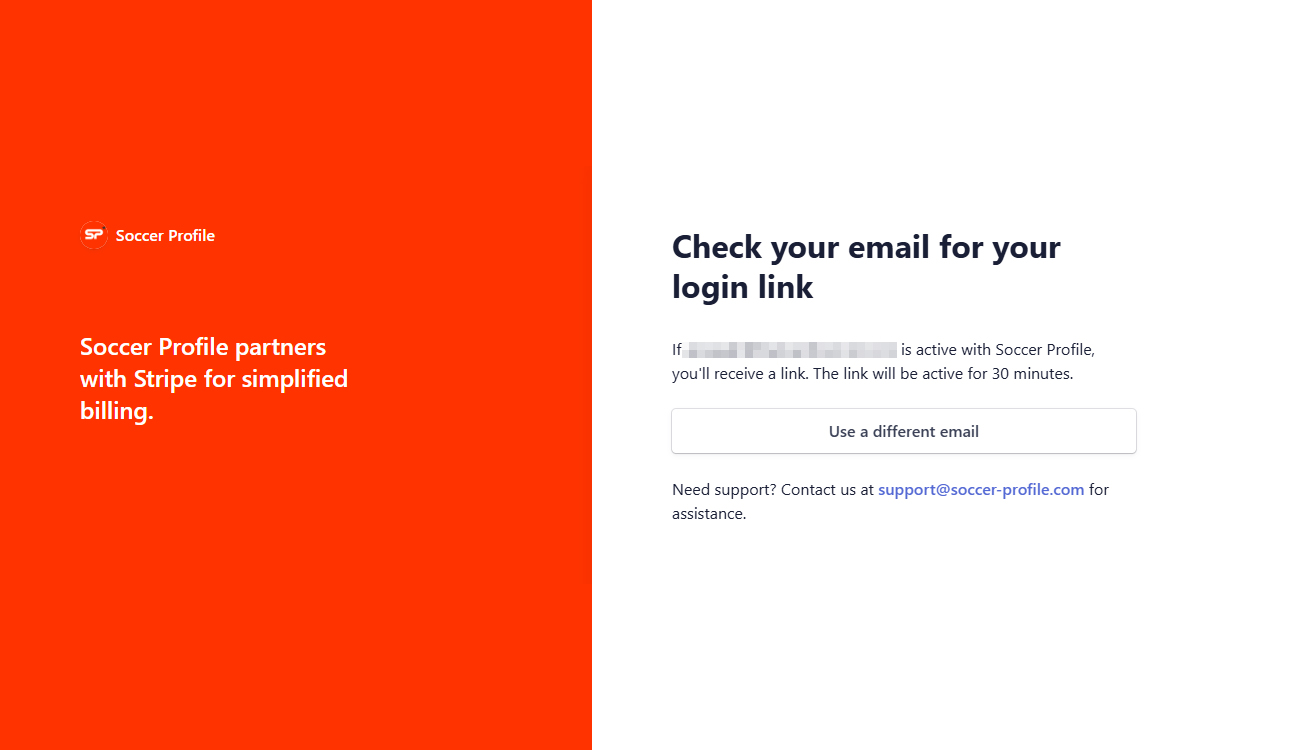
Receive Your Secure Login Link
Enter your signup email. A secure link will be sent to your inbox — click it to access your account.
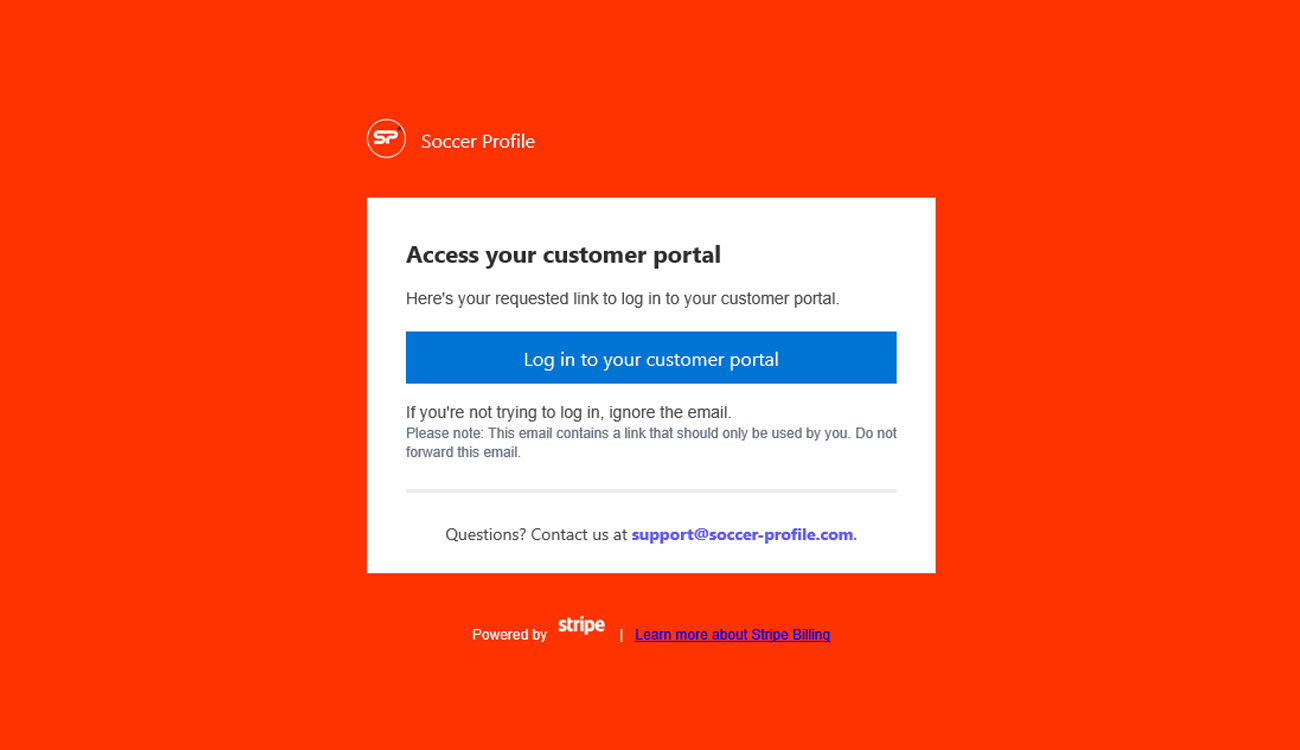
Access the Customer Portal
Click Log in to your customer portal to manage your account (powered by Stripe).
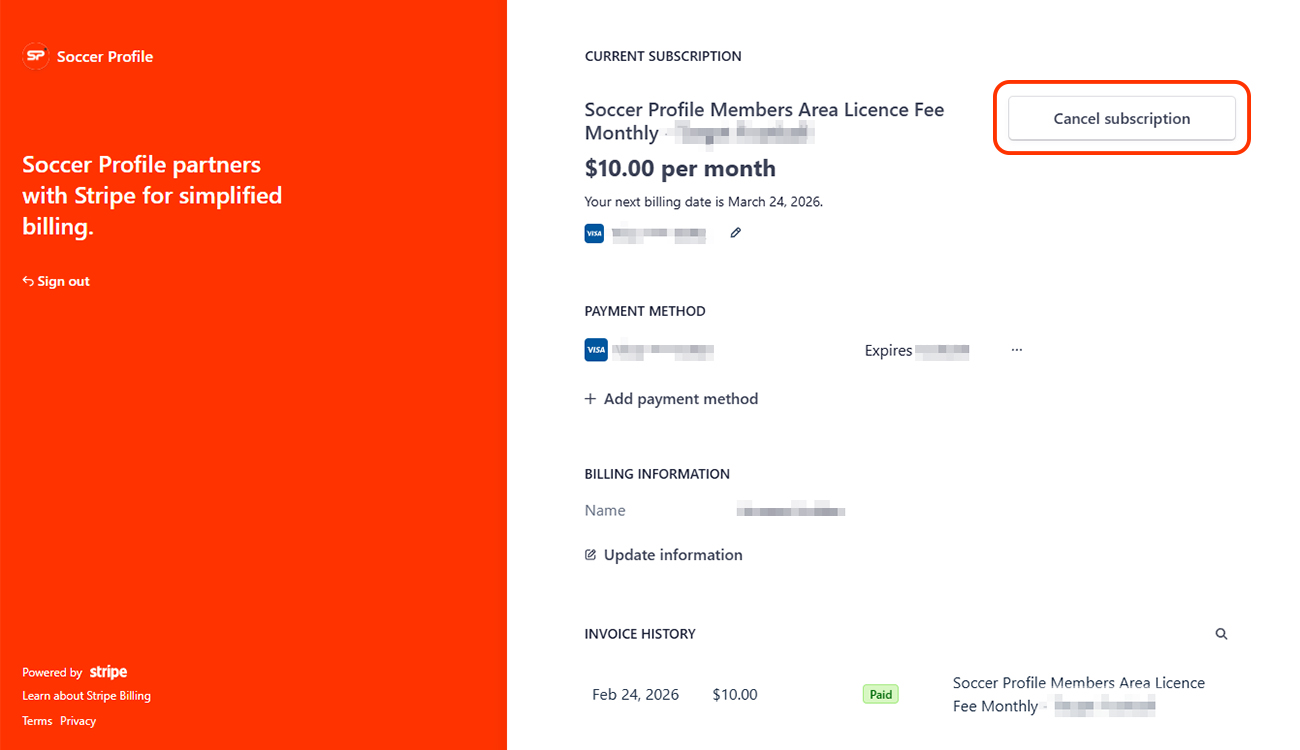
Cancel or Amend Your Plan
View your plan details, then select Cancel Subscription and follow the on-screen instructions.
Before you cancel —
a few quick answers
We want to make sure you have all the information before making your final decision.
Full access until your billing cycle ends. No further charges after your cancellation date. You'll receive an immediate confirmation email with your cancellation date and access expiry. Not ready to fully cancel? A lower plan keeps your access and data active.
Your next billing date is shown in your customer portal. Cancel before it to avoid new charges.
Subscriptions are non-refundable for the current billing period. No charges apply beyond your confirmed cancellation date. For billing errors, contact support@soccerprofile.com — we respond within 24 hours.
Return to Coaches Hub and select a plan to reactivate your account. Reactivate within 3 months to restore your session plans, resources, and progress.
Contact support@soccerprofile.com — we respond within 24 hours.
We're here to help
Have a question about membership, resources, or how Soccer Profile can support
your coaching journey? Just fill out the form below - our team will get back to you promptly.